SoCcer Manager


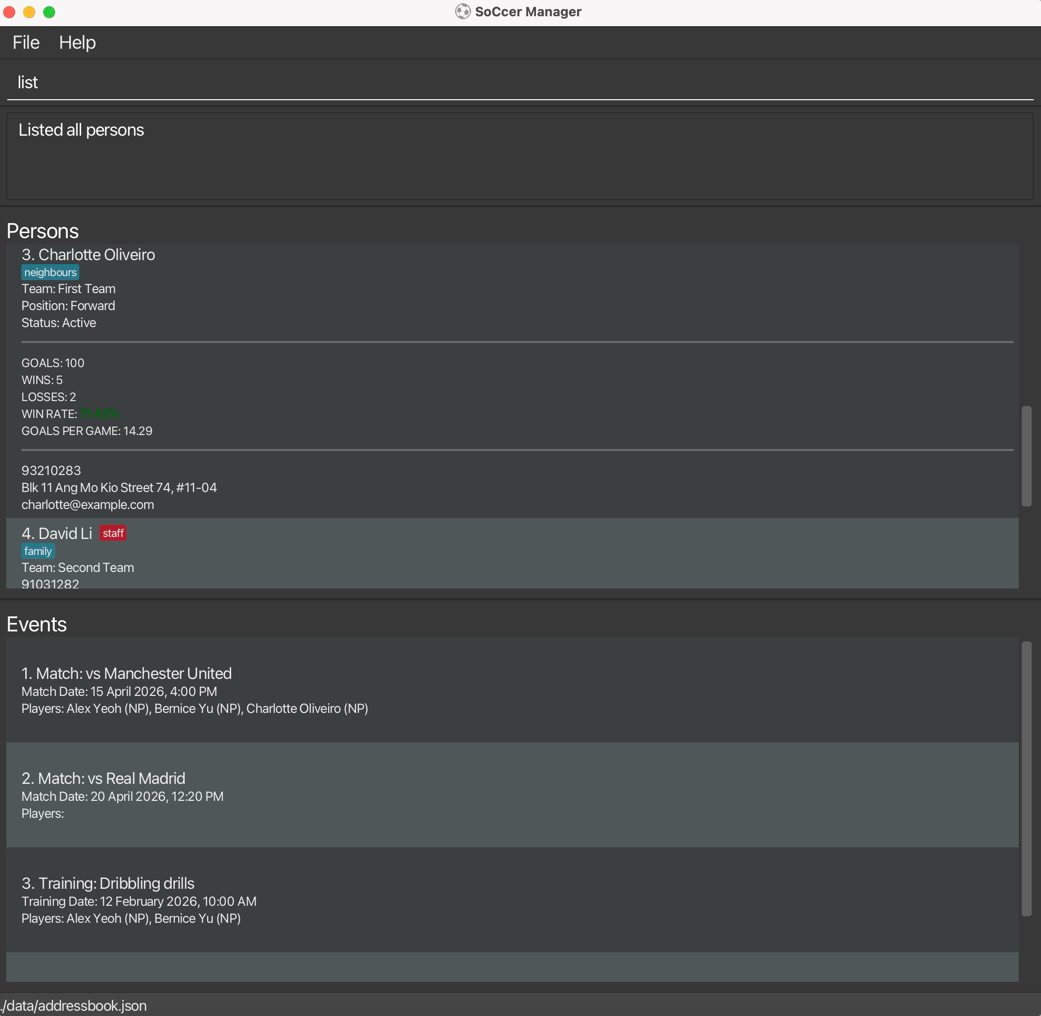
SoCcer Manager helps soccer academy managers keep player and staff operations in one place. From roster details and role-specific views to team/status/position catalogs, attendance tracking, event scheduling, and player stats, it is designed to support the day-to-day workflows of running a squad.
Built for users who are comfortable with the command line, SoCcer Manager combines fast CLI interactions with a clear desktop GUI. That means less time clicking through forms and more time updating records, checking squad status, and preparing for training or matchday.
Why use SoCcer Manager?
- Manage both players and staff in a single system.
- Keep team, status, and position data consistent with catalog-backed attributes.
- Track events, attendance, and player performance in an organized workflow.
- Use fast commands for filtering, sorting, and updating large rosters efficiently.
Get started
- New users: head to the Quick Start section of the User Guide.
- Developers: start with the Developer Guide.
Acknowledgements
- Libraries used: JavaFX, Jackson, JUnit5
- This project is based on the AddressBook-Level3 project created by the SE-EDU initiative.